Why WhatsApp alone cannot do this
WhatsApp Business is an excellent single-operator tool. It was designed around one account, one device and one person's sense of what has been dealt with. The linked-devices feature extends that to a handful of screens, but it does not change the model: everyone looks at the same undifferentiated stream, with no concept of who owns what.
That distinction is the whole problem. Multiple people seeing messages is not the same as multiple people working messages. Without ownership, a shared view actively creates failure modes that a single operator never has.
| What a team needs | Shared phone or linked devices | With wavadesk |
|---|---|---|
| See what is waiting | A stream, oldest scrolled away | A queue with wait times and the oldest surfaced |
| Know who is handling it | Nothing — you ask out loud | Claim locks the conversation to one agent |
| Stop duplicate replies | Convention and luck | Enforced in the database |
| Keep history when staff change | Tied to the device | Tied to the workspace |
| Split by department | Not possible | Routing to team queues |
| Report on response time | No data | Median first reply, resolution, per-agent load |
The practical consequence is that shared access without ownership tends to be worse than one dedicated person, because responsibility becomes diffuse. Everyone assumes somebody else replied.
What real multi-agent access looks like
Multi-agent support needs four things beyond a shared view. Each exists to answer a question that a single operator never has to ask.
What is waiting, and how long has it been waiting? A stream cannot answer this; a queue with timestamps can.
Who is dealing with this one right now, and can anyone else send into it? This is claiming, and it must be enforced rather than agreed.
Which team should see this at all? Billing questions do not belong in the sales queue.
Who did what, when? Both for accountability and for knowing where time actually goes.
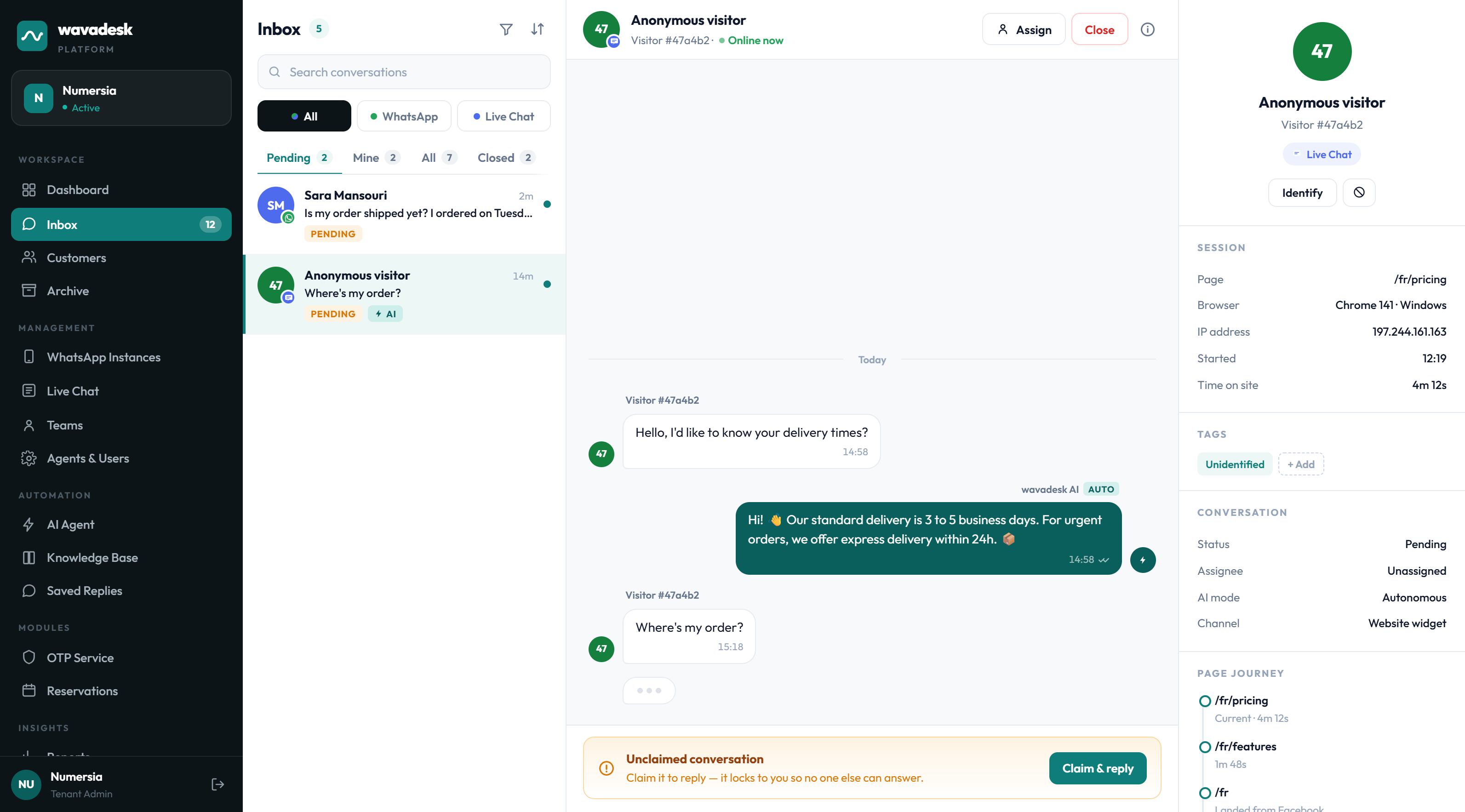
Claiming: ownership you cannot fumble
In wavadesk, agents work from a shared pool and claim a conversation to take it. Claiming does two things at once: it tells the team this one is handled, and it locks the conversation so nobody else can reply into it.
The lock is enforced at the database level. If two agents click claim in the same second, one wins and the other is told the conversation is taken. There is no window in which both believe they own it — and that window is exactly where duplicate replies are born.
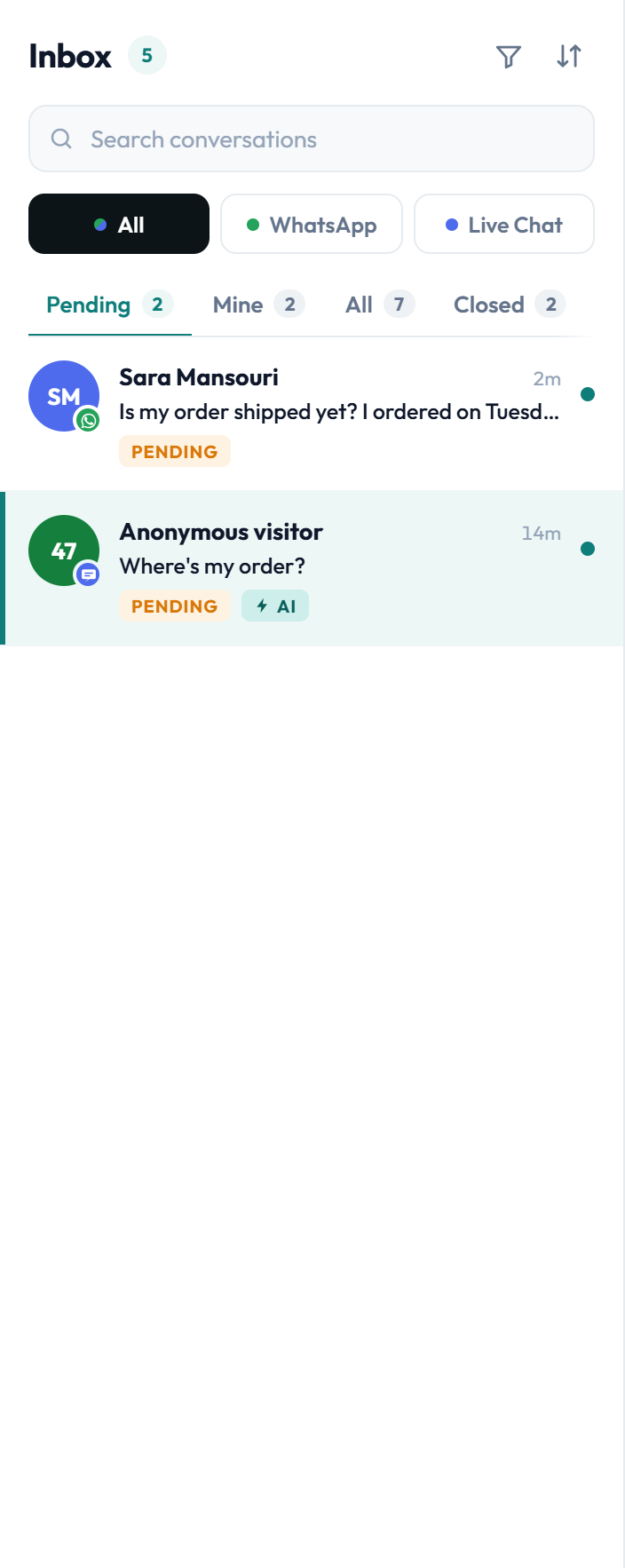
Claims are not permanent. An agent can release a conversation back to the pool and a lead can reassign it — both recorded, so handovers stay visible.
Routing so people see less, not more
A single pool is right for a team of three. At fifteen it becomes noise: every agent scrolls past thirty conversations that are not theirs to find the ones that are.
Routing puts conversations in front of the right team by rules you set, so each agent's queue is the subset they can actually act on. The rest still exists and is still auditable, it is just not in their way.
- Route by team, so returns, billing and sales each have their own queue
- Route by keyword, for cases where the message itself identifies the department
- Route by hours, so out-of-hours conversations land where someone is watching
- Escalate to a lead when a conversation ages past a threshold
Read more in Teams, routing and assignment.
How seats and capacity work
Each person who answers customers needs their own login, so that claiming and the audit trail mean something. Shared logins defeat both.
Plans include a base number of seats, and you can add more without changing plan when the team grows mid-cycle. Capacity is visible in the billing screen rather than something you discover by hitting a wall.

See pricing for what each plan includes.
Moving a team off a shared phone
The switch is usually less disruptive than teams expect, because the customer-facing side does not change at all.
Scan the QR with the phone that holds your WhatsApp Business account. Conversations start arriving in the shared pool.
Give each of them a seat. Start with the same group who currently share the handset.
This is the only behavioural change, and the interface enforces it anyway.
This is the step teams skip, and the one that matters. Replies sent from the phone bypass the queue and the audit trail.
A week of overlap is fine while people adjust. Longer than that and you have two sources of truth, which is the problem you were trying to solve.
Frequently asked questions
How many agents can use one WhatsApp number?
As many as your plan has seats for. Starter includes 3 users, Growth 5 and Scale 25, and you can add extra seats to any plan without upgrading.
All of them work from the same connected number.
Do agents need the WhatsApp app installed?
No. Agents work entirely in wavadesk from a browser. Only the initial QR connection needs the phone that holds the WhatsApp Business account.
What stops two agents replying at once?
Claiming. Taking a conversation writes a lock that prevents anyone else from sending into it, enforced in the database rather than only in the interface.
Can I limit what an agent sees?
Yes. Routing by team means each agent's queue contains the conversations their team owns, rather than everything arriving on the number.
Is this the official WhatsApp Business API?
wavadesk connects your existing WhatsApp Business number by QR, the same mechanism as WhatsApp Web, so there is no separate API application, no template approval process and no per-conversation Meta fee.
What happens if an agent goes offline mid-conversation?
The conversation stays claimed to them and visible to the team. A lead can reassign it, and the reassignment is recorded so the handover is not invisible.