Why one inbox for both channels
Adding live chat to a website is easy. Adding it without fragmenting your support operation is the hard part. The usual outcome is two tools, two queues and two sets of history, with agents alt-tabbing between them and nobody able to report on the whole.
wavadesk treats channel as an attribute of a conversation, not as a separate product. A website chat and a WhatsApp thread appear in the same list, are claimed the same way, and are answered from the same composer. The only difference is a badge telling the agent where it came from.
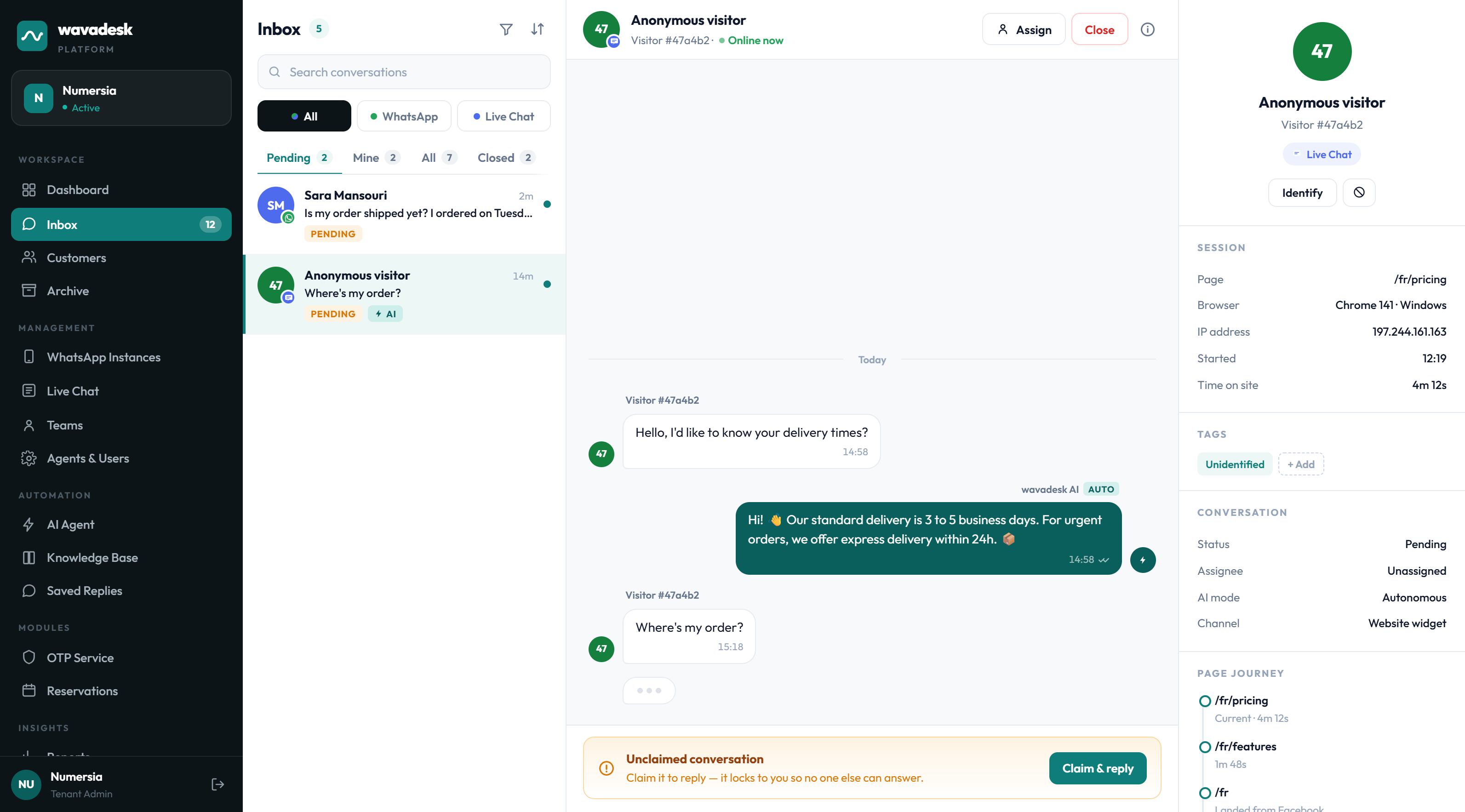
Filter by channel when you want to, but nothing is hidden in a second tool.
A visitor who later messages on WhatsApp keeps the same history, not a fresh start.
The same knowledge base answers on both channels, so answers cannot diverge.
Response time and volume reported across channels and per channel.
Installing the widget
Installation is a single script tag before the closing body tag of your site. There is no build step and no framework requirement — it works on a static site, WordPress, Shopify, a Laravel app or anything else that serves HTML.
Your workspace generates a snippet containing your unique widget key.
Before the closing body tag, on every page you want chat available. Most teams add it to a shared layout or footer template.
Open your site, send a test message and watch it appear in the shared inbox.
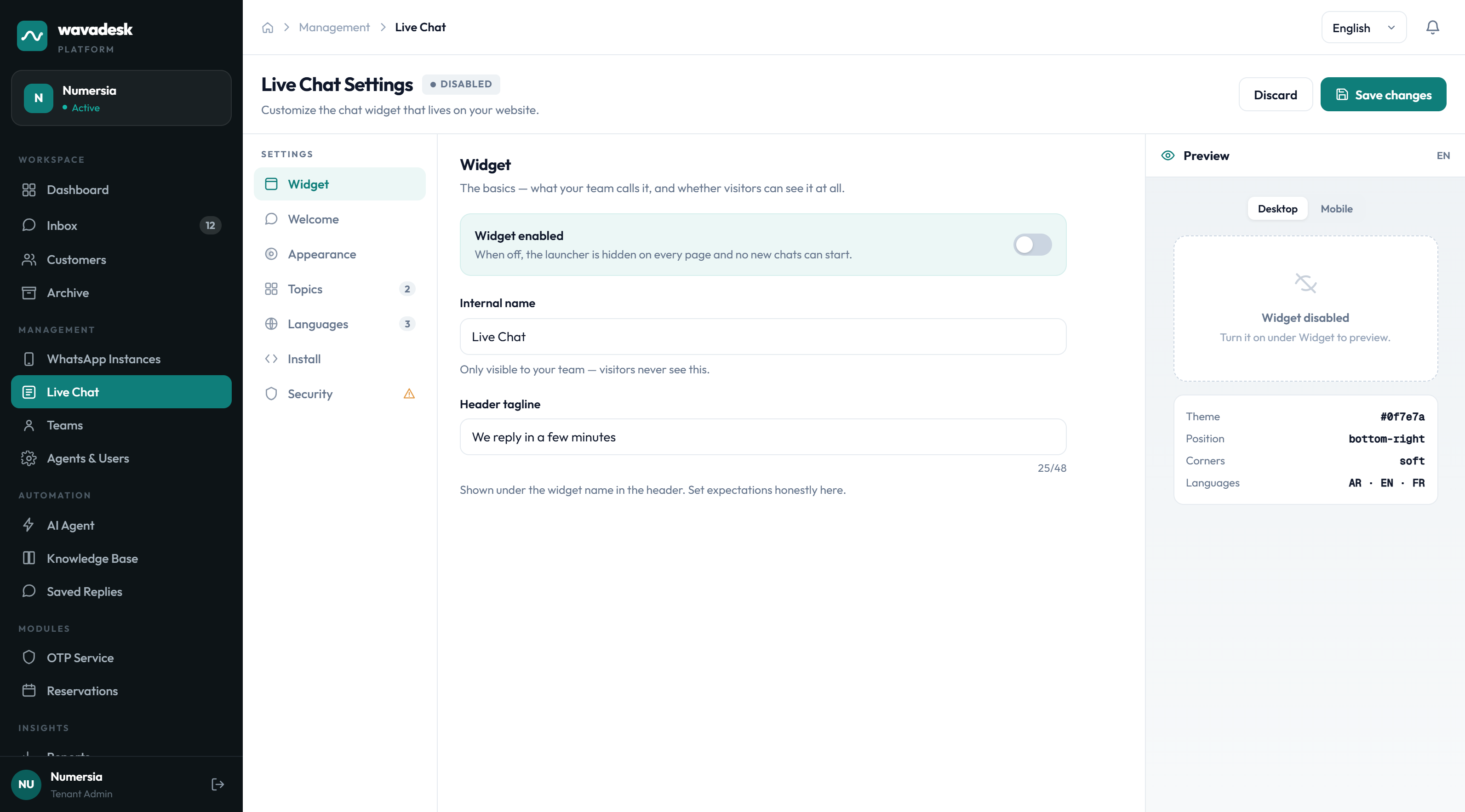
Choose greeting, position, hours and whether AI answers first.
Website visitors need nothing. The widget loads on your page and the conversation starts there.
Branding and behaviour
The widget should look like it belongs to your site, not to a support vendor. Everything visitor-facing is configurable, with a live preview beside the controls.
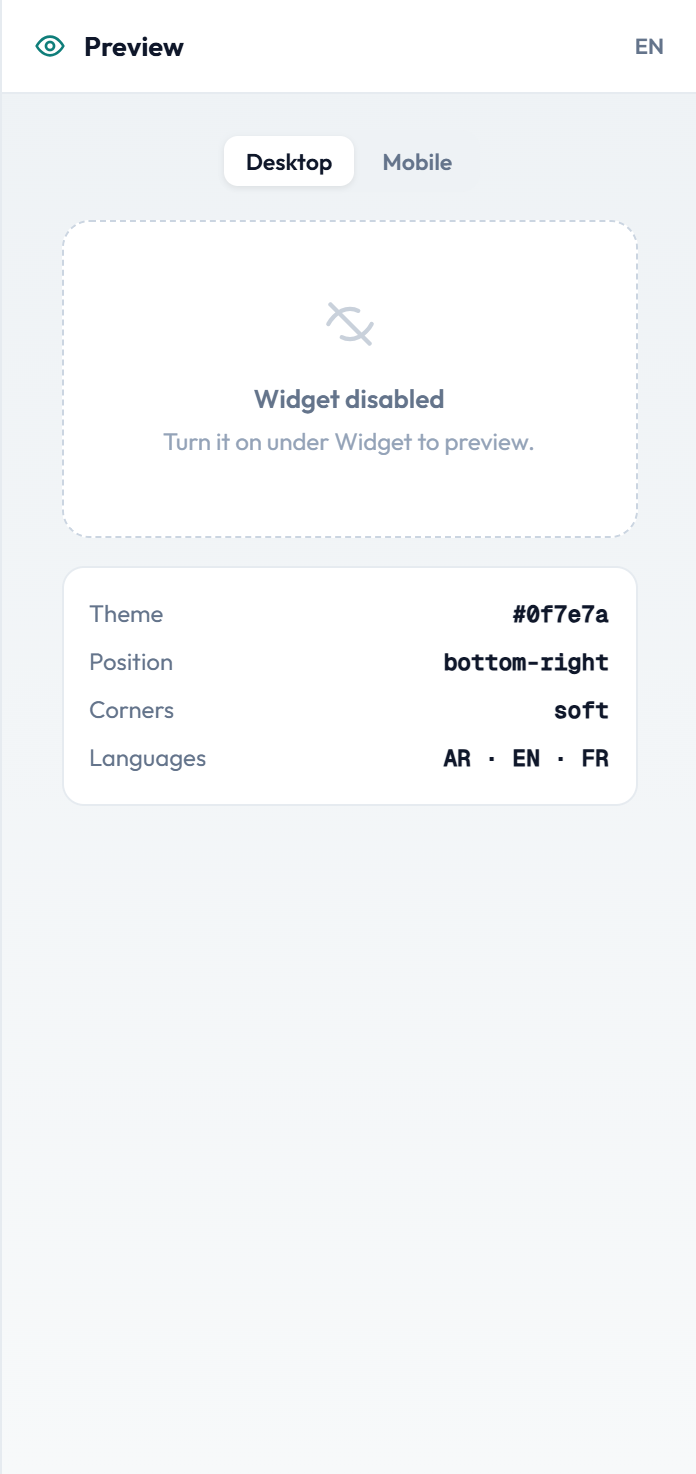
What you can change
- Accent colour, so the launcher matches your brand
- Launcher position, left or right, with an offset for other floating elements
- Greeting text and a short intro line, per language
- Availability hours, and what the widget says outside them
- Whether the AI agent answers first or the conversation waits for a person
- Pre-chat fields, if you want a name or email before the conversation starts
Multi-language
Widget copy can be set per language, so a French visitor sees French and an Arabic visitor sees Arabic. The AI agent answers in the language the visitor writes in, drawing on the same knowledge base.
Visitor context your agents can use
A website visitor is anonymous by default, which sounds like a disadvantage until you notice how much the session itself tells you. Someone on your pricing page for four minutes is asking a different question from someone who just landed on the homepage.
The context panel shows the session rather than a contact record: the page they are on, how they arrived, browser and device, how long they have been on the site and which pages they visited on the way.
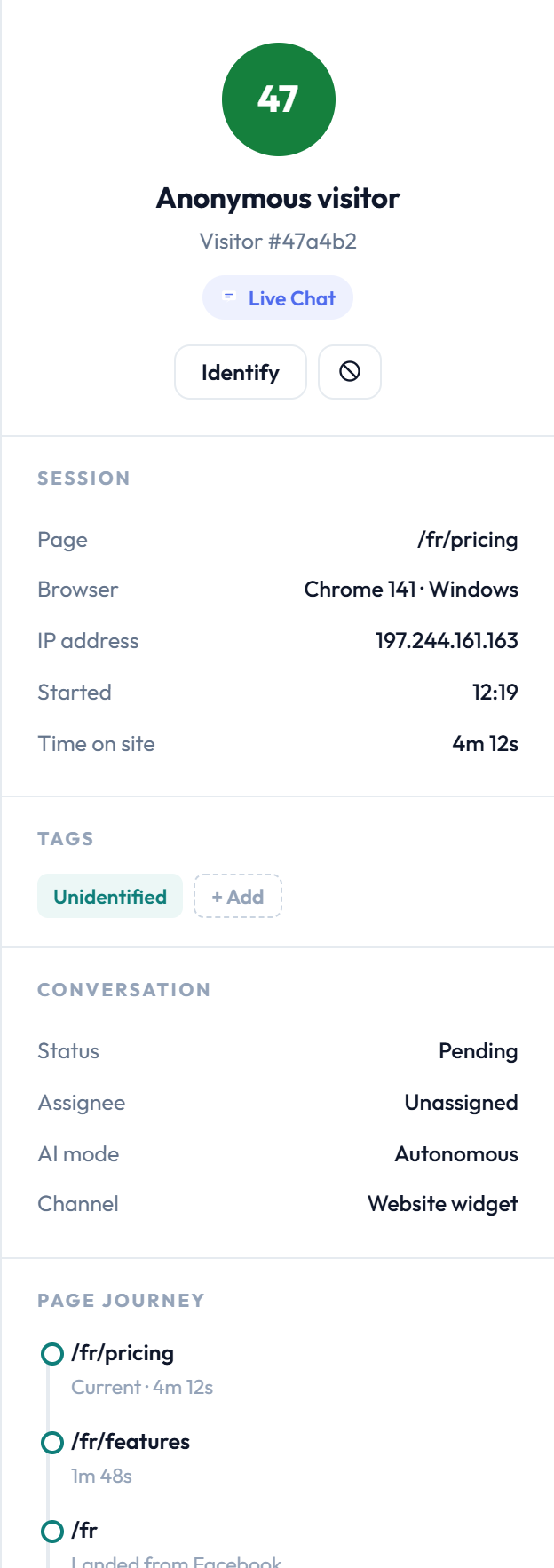
- Current page, so the agent knows what the visitor is looking at
- Page journey, which usually reveals intent better than the first message
- Browser, device and operating system, for troubleshooting
- Referrer, so you know whether they came from an ad or a search
- Time on site and session start
If the visitor identifies themselves — through a pre-chat field, or by giving an email in conversation — the session is linked to a contact and their history from other channels appears.
AI on the widget
Website chat has a different expectation from WhatsApp. A visitor sitting on your pricing page expects an answer in seconds, and will close the tab rather than wait. This is where autonomous AI earns the most.
The same AI agent, the same knowledge base and the same escalation rules apply. You can, however, set a different mode per channel: many teams run autonomous on the widget for instant answers and suggest-only on WhatsApp, where a slightly slower human reply is acceptable.
A visitor asking about a refund or using a trigger word is handed to a human on the widget exactly as they would be on WhatsApp.
More detail in AI agent for support.
Performance and privacy
A chat widget is on every page of your site, so its weight is your weight. The wavadesk widget loads asynchronously and does not block rendering — the launcher appears after your page is interactive, not before.
- Asynchronous load, no render blocking
- No third-party advertising or tracking pixels bundled in
- Session data limited to what the context panel shows
- Conversations stored in your workspace, not shared across tenants
- Widget respects your availability hours instead of implying someone is there
Frequently asked questions
Do website chats and WhatsApp chats go to the same place?
Yes. Both land in the same shared inbox, in one queue, with a badge showing which channel each came from. Agents claim and reply the same way regardless of channel.
How do I install the widget?
Paste one script tag before the closing body tag of your site. It works on any platform that serves HTML — static sites, WordPress, Shopify, Laravel and so on.
Can I change how the widget looks?
Yes. Accent colour, position, greeting text, pre-chat fields and availability hours are all configurable, with a live preview beside the controls.
What do agents see about an anonymous visitor?
The session: current page, page journey, referrer, browser, device and time on site. If the visitor identifies themselves, their history from other channels is linked in.
Can the AI answer website chats automatically?
Yes, and you can set the mode per channel — for example autonomous on the widget for instant answers, suggest-only on WhatsApp. Escalation keywords apply on both.
Will the widget slow my site down?
It loads asynchronously and does not block rendering. The launcher appears after your page is interactive.