When one queue stops working
A shared pool is the right default. Everyone sees everything, anyone can pick up anything, and the overhead of configuration is zero. That holds up to roughly five or six agents handling broadly similar questions.
Past that, two things break. Agents spend real time filtering visually — reading and skipping conversations that belong to another function. And specialisation becomes impossible: if the person who handles billing disputes sees the same undifferentiated list as everyone else, their expertise is not being pointed at the right work.
Routing is the fix, and its purpose is subtractive. It is not about giving people more information. It is about giving each agent less to look at, so what remains is theirs.
Setting up teams
A team is a group of agents and a queue. Most organisations map them to the functions that already exist rather than inventing new ones.
Sales, support, billing, returns. The most common split, because the skills genuinely differ.
Where you serve multiple languages and not every agent speaks all of them.
Morning and evening teams, so out-of-hours conversations land with whoever is actually on.
Where products are different enough that knowledge does not transfer.
An agent can belong to more than one team. A small operation often has everyone in every team initially, then narrows as it grows — which is the right order, because you learn the real boundaries from the traffic.
Routing rules
Rules are evaluated in order, and the first match wins. Keeping the list short is a feature, not a limitation — long rule chains become impossible to reason about when something goes to the wrong place.
Route by keyword
The message itself often names the department. "Refund", "invoice" and "chargeback" mean billing; "quote" and "pricing" mean sales. Keyword routing catches the clear cases and leaves the ambiguous ones in the general pool.
Route by channel
Website widget conversations are frequently pre-sales — someone reading your pricing page — while WhatsApp skews toward existing customers. Routing by channel is a crude but effective proxy for intent.
Route by hours
Outside business hours, conversations should land where someone is watching, or in a queue that is explicitly monitored the next morning, rather than in a general pool nobody owns overnight.
Route by contact
Named accounts, VIP customers or specific numbers can be routed directly to a named team or agent, so your most important relationships do not queue behind general traffic.
Every routing setup needs a fallback queue for conversations that match nothing. Without one, edge cases disappear.
Assignment and claiming
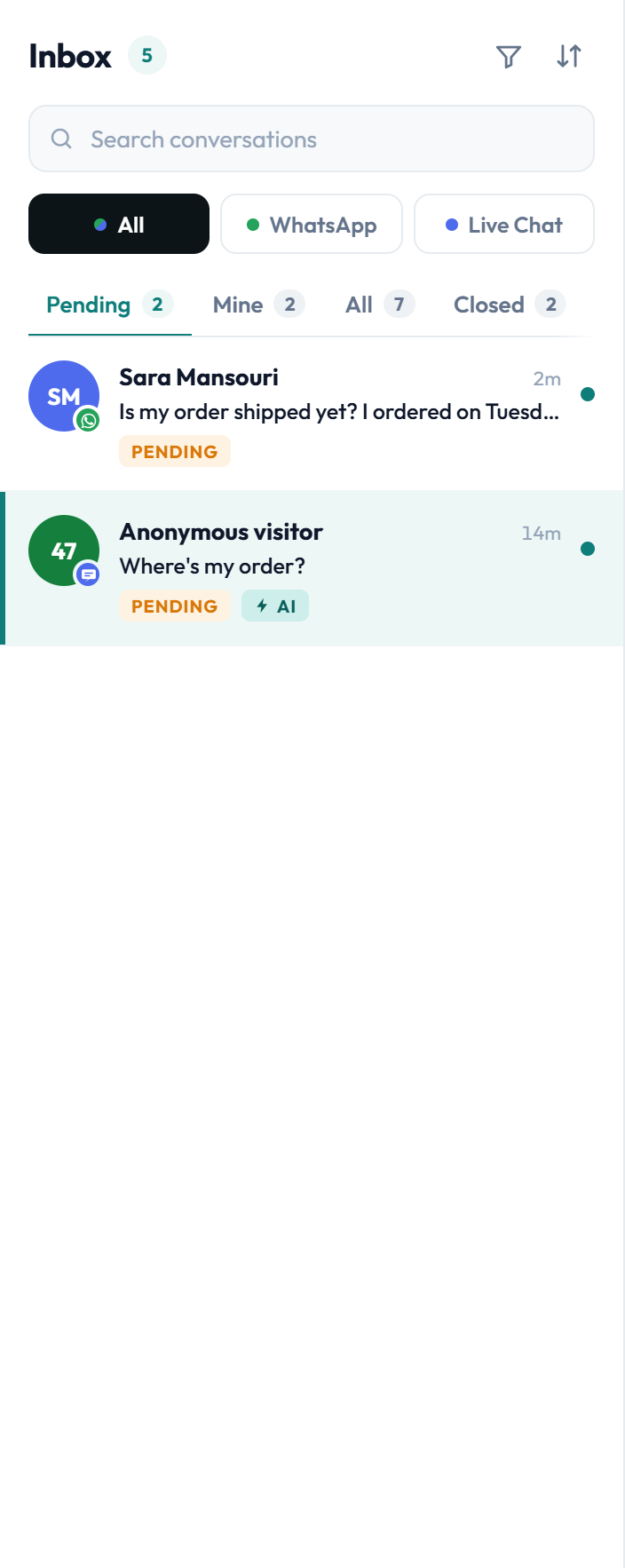
Routing decides which queue a conversation enters. Assignment decides who owns it. These are separate, and conflating them is the most common configuration mistake.
- Routed to a team, unassigned — agents in that team claim from the queue
- Auto-assigned round-robin — distributed evenly across available agents in the team
- Assigned to a named agent — for named accounts or continuing an earlier conversation
- Reassigned by a lead — recorded, so handovers stay visible in the audit trail
Most teams should start with routed-but-unassigned and claiming. Round-robin sounds fairer but distributes work to people who may be mid-conversation on something complex, and it removes the agent's ability to pick up what they are best placed to answer.
Assigning conversations to an agent who is offline creates a silent queue behind one person. Only enable it where you can rely on availability status being accurate.
Escalation and ageing
Every routing setup eventually strands a conversation: it is in the right queue, and nobody has claimed it. Escalation rules catch that automatically rather than relying on someone noticing.
For example, 15 minutes unclaimed during business hours.
Move the conversation to a lead's queue, or flag it at the top of the team queue.
The queue surfaces the longest-waiting conversation, so a growing number is visible before customers complain.
A threshold nobody can meet is noise. Set it where breaches are genuinely exceptional.
Checking your routing is right
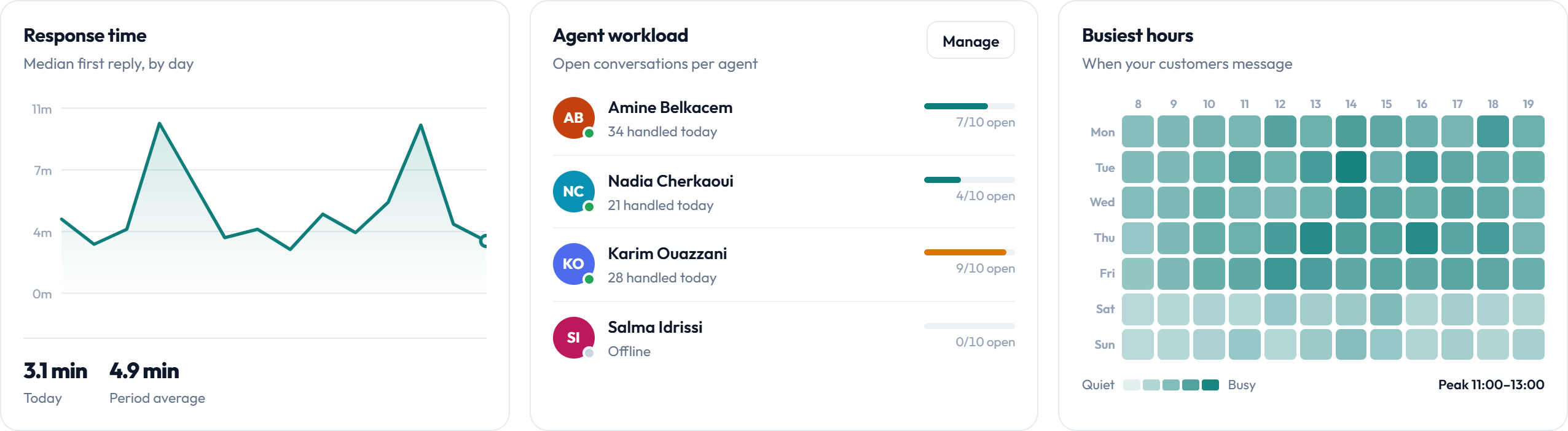
Routing is a hypothesis about how work should be divided. The reporting tells you whether the hypothesis holds.
- Reassignment rate — high reassignment means rules are sending work to the wrong team
- Per-team response time — one slow queue usually means understaffing, not laziness
- Agent load balance — persistently uneven load means routing is concentrating work
- Escalation frequency — rising escalations mean thresholds or staffing need attention
- Volume by hour against shift coverage — the heatmap against your rota
More in Support reports and analytics.
Frequently asked questions
Do I need routing straight away?
No. Start with one shared pool and claiming. Routing earns its keep somewhere around five or six agents, or sooner if your teams handle genuinely different subject matter.
Can an agent be in more than one team?
Yes. Small teams often put everyone in every team at first and narrow the boundaries as traffic shows where they actually are.
What happens to a conversation that matches no rule?
It lands in your default queue. Every routing setup should have one, otherwise unmatched conversations have nowhere to go.
Should I use auto-assignment or claiming?
Claiming, in most cases. Round-robin distributes work to agents who may be mid-conversation and removes their ability to pick up what they are best placed to handle. Auto-assignment works where availability status is reliable.
How do I stop conversations sitting unclaimed?
Set an age threshold and escalate on breach — to a lead's queue or flagged at the top of the team queue. The inbox also surfaces the longest-waiting conversation so the problem is visible early.
Can I route by language?
Yes. Teams can be organised by language and routed accordingly, which matters when not every agent covers every language you serve.