What integration is for
The value of a support tool multiplies when it knows things your business already knows. An agent answering "where is my order" should not be looking up an order number in a second system — that lookup should already be on screen.
Integration goes both ways. You push context in, so agents and the AI can use it. And you pull events out, so your own systems react when something happens in support.
Read and write conversations, contacts, tags and messages from your own backend.
Receive an event when a conversation is created, claimed, replied to, resolved or escalated.
Send and verify one-time passcodes over WhatsApp from your application.
Pull the metrics behind the dashboard for your own BI or data warehouse.
Authentication
API access uses a workspace-scoped bearer token, created in settings and revocable at any time. Tokens are scoped to a workspace, so a token from one tenant cannot read another.
Requests are made over HTTPS to your workspace endpoint, with the token in an Authorization header. There is no separate signing step for REST calls; webhook deliveries are signed so you can verify they came from us.
- Bearer token per workspace, created and revoked in settings
- Scoped so a token cannot read outside its workspace
- Signed webhook payloads with a shared secret for verification
- Rate limited per token, with limits returned in response headers
- Every API action recorded in the same audit trail as human actions
A workspace token can read your conversation history. Keep it server-side — never in front-end code or a mobile app binary.
What the REST API covers
The API is organised around the same objects as the interface, so what you can see you can generally read and write.
| Resource | What you can do |
|---|---|
| Conversations | List, filter by channel or status, read messages, create, claim, assign, resolve |
| Messages | Send into a conversation, read history, attach internal notes |
| Contacts | Create, update, look up by phone or email, merge, attach custom fields |
| Tags | Apply and remove, list by conversation or contact |
| Teams and agents | List, read availability, read assignment |
| Reports | Pull the metrics behind the dashboard for a period |
| OTP | Send a passcode, verify a passcode |
The most common first integration
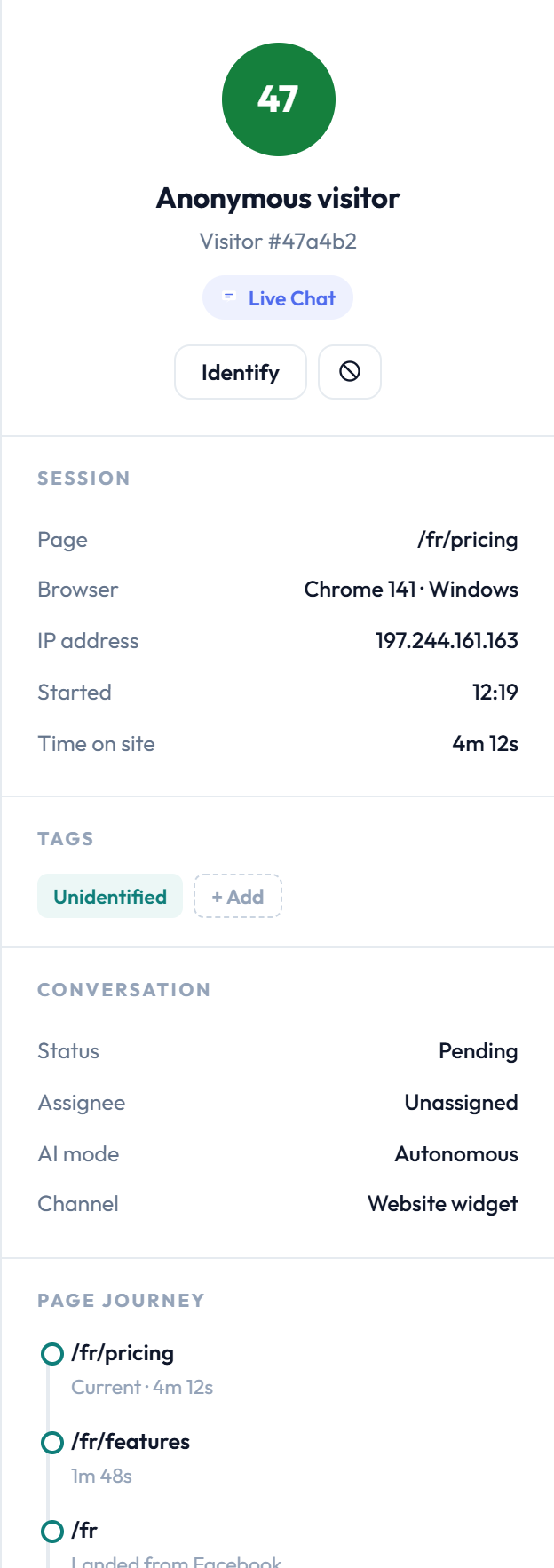
Pushing customer context onto the contact record. If your system knows a customer's order history, plan or account status, writing it as custom fields on the contact means the agent sees it in the context panel without leaving the conversation.
Webhooks and events
Webhooks let your systems react to support activity rather than polling for it. You register an endpoint, choose the events you care about, and we POST a signed payload when they happen.
Events you can subscribe to
- conversation.created — a new conversation arrived on any channel
- conversation.claimed — an agent took ownership
- conversation.resolved — marked resolved, with the resolving agent
- conversation.escalated — the AI handed over, with the trigger
- message.received — an inbound customer message
- message.sent — an outbound reply, human or AI
- contact.created and contact.updated
- otp.verified — a passcode was successfully verified
Practical uses
Three integrations cover most of what teams build. Creating a CRM activity on conversation.resolved, so support history appears against the account. Alerting a Slack channel on conversation.escalated for named accounts. Unlocking a feature in your product on otp.verified.
A webhook that fails is retried with backoff. Respond 2xx quickly and do the work asynchronously — long processing inside the request will trip the timeout and cause duplicate deliveries.
The OTP endpoints
Two calls, and no state to keep on your side. The passcode is generated, hashed and stored by us and is never returned to you.
With the phone number and an optional purpose label such as login or signup. Returns a request identifier, not the code.
From your connected business number.
With the number and the code the customer entered. Returns pass or fail.
Failures come back distinguished: incorrect, expired, or attempt limit exceeded — so you can show the right message.
Expiry, attempt limits and per-number rate limiting are enforced server-side. Full detail in WhatsApp OTP and verification.
Embedding and the widget
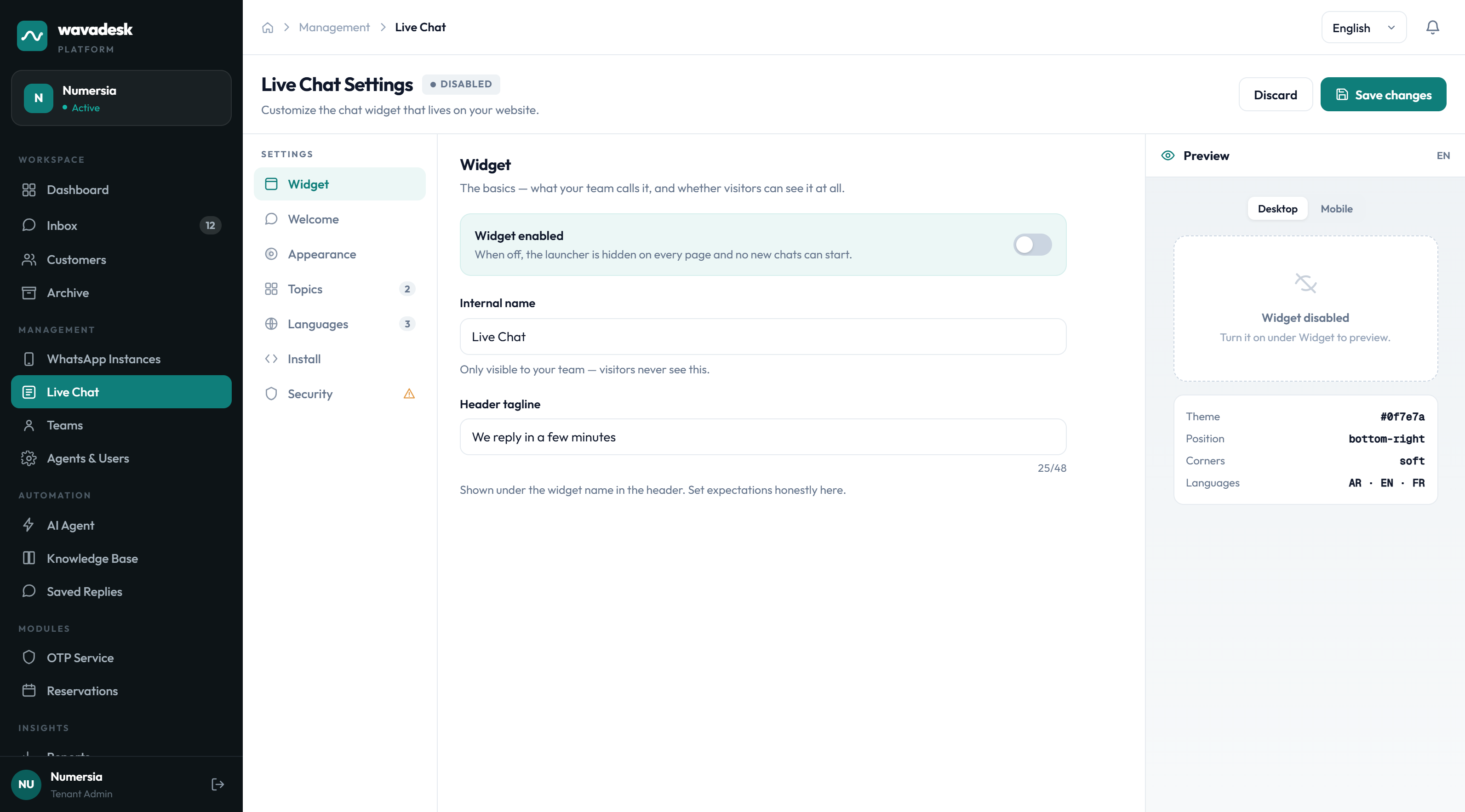
The live chat widget is itself an integration point. Beyond the install snippet, you can identify the visitor from your own application so the conversation is linked to a known contact rather than an anonymous session.
Calling the identify method with your user's details on page load means the agent sees a named customer with full cross-channel history instead of an anonymous visitor.
See Live chat widget for installation and branding.
Limits and versioning
Two things you want to know before building against any API: how hard you can push it, and whether it will change under you.
- Rate limits per token, with remaining quota returned in response headers
- 429 responses include a retry-after value
- Breaking changes ship behind a version, and existing versions remain supported
- Additive changes — new fields and new event types — can arrive without a version bump, so parse defensively
- Webhook payloads are versioned alongside the API
API access is included on the Scale plan. See pricing.
Frequently asked questions
Which plan includes API access?
API access, webhooks and the OTP endpoints are included on the Scale plan. Other plans can add the OTP module separately.
How do I authenticate?
With a workspace-scoped bearer token created in settings. Tokens are revocable, scoped to a single workspace, and should be kept server-side — never in front-end code.
Can I push my own customer data into wavadesk?
Yes, and it is usually the first integration worth building. Writing custom fields onto the contact record means agents see your order history, plan or account status in the context panel while replying.
What events can webhooks send?
Conversation created, claimed, resolved and escalated; message received and sent; contact created and updated; and OTP verified. Payloads are signed so you can verify them.
What happens if my webhook endpoint is down?
Deliveries are retried with backoff. Respond 2xx quickly and process asynchronously — slow handling inside the request will time out and cause duplicate deliveries.
Will the API change without warning?
Breaking changes ship behind a version and existing versions stay supported. Additive changes such as new fields or event types can arrive without a version bump, so parse payloads defensively.